Your tools work. They just don’t talk to each other.
Software integration for businesses paying for good tools that share nothing. We connect the ones that work, replace the ones that don’t, and build the system in the middle that ties them together, then keep it working as one monthly service.
Every tool made sense. Together, they’re a patchwork.
Your CRM, your books, your calendar and your inbox each do their job. None of them knows what the others know, so your people carry information between them by hand, and the reports disagree.
- “We type the same order into three systems.”Manual entry
- “The CRM says one thing and the books say another.”Scattered data
- “We pay for six tools and still do half of this by hand.”Redundant tools
- “I can’t get one report without exporting from everything.”No visibility
- “Every Friday someone checks the spreadsheet against the books.”Admin overhead
One system in the middle.
We start by working out which of your tools are doing their job and which are getting in the way. The ones that work stay. Then we build the layer that ties them to one record of every customer, order and job, so information is entered once and shows up everywhere it’s needed.
- Entered once.
- An order, a booking or a payment is recorded where it happens, and every tool that needs it gets it. Nobody types it twice.
- One record per customer.
- Every email, meeting, invoice and payment tied to the right customer, in one place you can search.
- Reports that agree.
- The numbers come from one source, so the pipeline, the books and the calendar tell the same story.
- Kept working.
- When a tool changes how it connects, we fix the connection. That’s part of the monthly fee, not a new project.
We don’t replace your stack. We sort it.
Most businesses don’t need to throw their software away. We go through it tool by tool: what’s good at its job stays and gets connected, what duplicates something else goes, and the gaps between them become the system we build.
An illustration with a sample stack. Which tools stay is decided for each business, in the recommendation.
It doesn’t have to start with untangling.
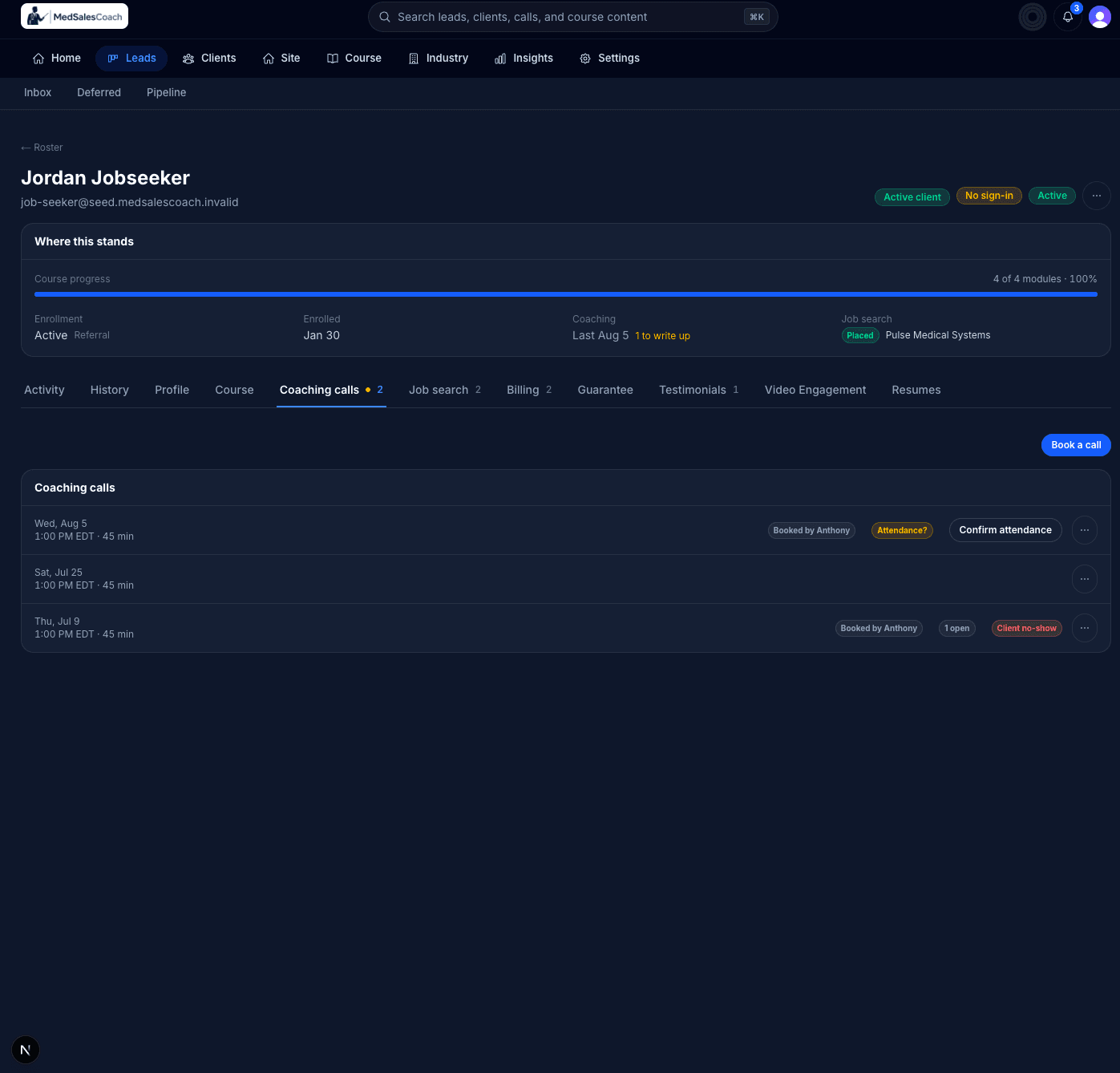
MedSalesCoach teaches candidates how to break into medical device sales. It was a new business, so rather than untangle a stack of tools, we connected the right ones from the start.
Calendly and Zoom are connected to one platform, so every coaching call is booked, recorded and transcribed automatically, and each one is analysed. Payments run in the same place. We integrated the tools that were already good at their job and built everything around them.
Everything about a lead or a student lives in one record, from the first visit to the site through enrolment, coaching and the job search, with nobody moving a file from one tool to another.
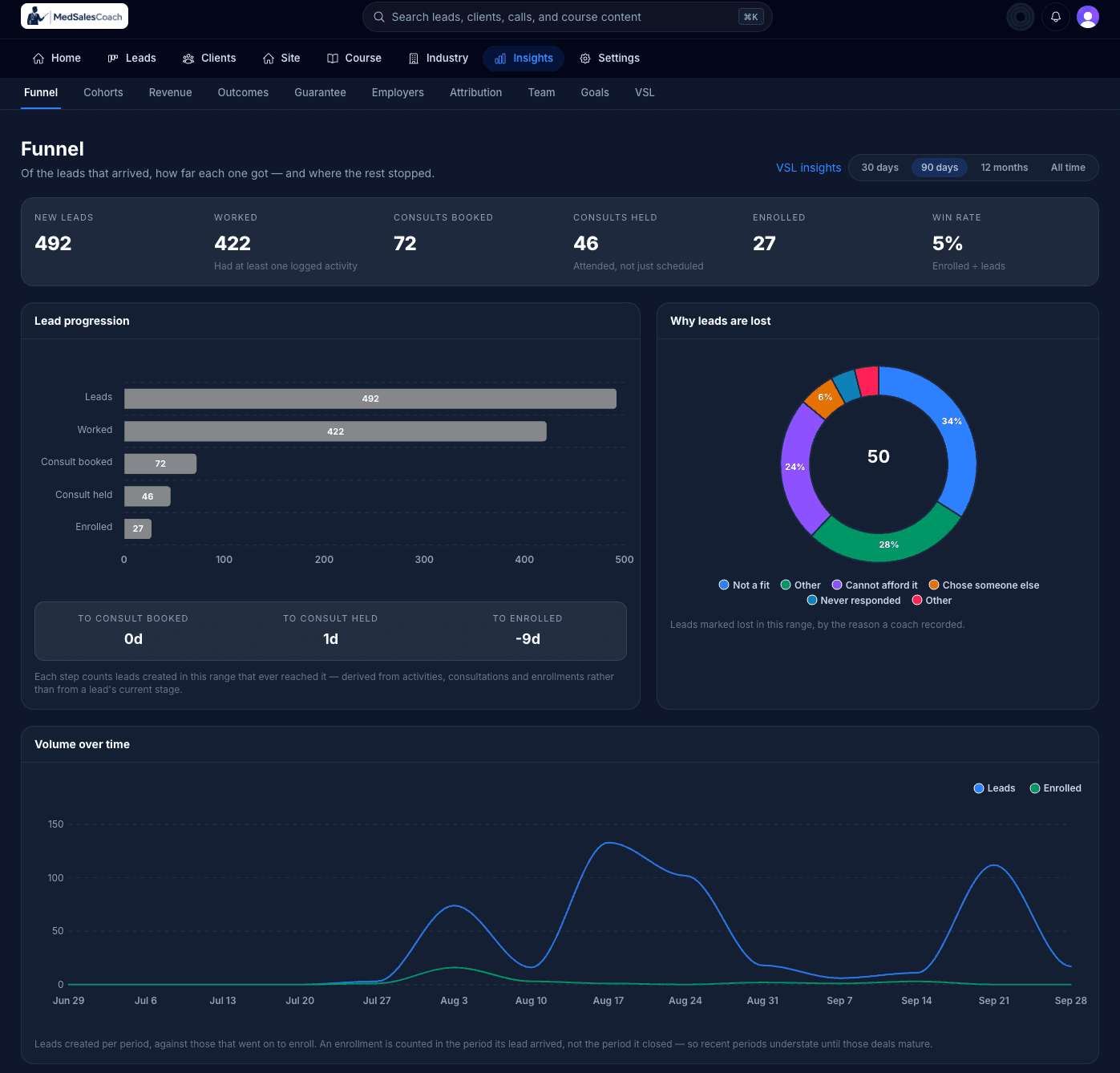
This screen is from a staging copy with sample data, not MedSalesCoach’s own records. Read the full story
Sometimes a connector is enough.
If two tools only need to pass one thing between them, an off-the-shelf connector like Zapier is the right call, and we’ll tell you so. It stops working when the connections multiply and nobody owns them.
- Point-to-point connectors: Each tool wired to each other tool, one connection at a time.
- One system in the middle: Every tool connects once, to the system in the middle.
- Point-to-point connectors: Data copied from tool to tool, so the copies drift apart.
- One system in the middle: One record of each customer and order, which every tool reads from.
- Point-to-point connectors: Nobody owns the connections, so a broken one goes unnoticed.
- One system in the middle: We own the connections, and fixing one is part of the monthly fee.
- Point-to-point connectors: Reports still mean exporting and stitching together.
- One system in the middle: Reports come from one source, so they agree.
- Point-to-point connectors: Every new tool means more wiring.
- One system in the middle: A new tool connects once, and everything else sees it.
Use standard software where your needs are standard. Build around the parts of your business that aren’t.
We carry the build. You start paying when it launches.
Traditional custom development asks you to pay a large sum before anything exists, then pay again every time something needs to change. We reverse that: we invest in building your system first, and the same team keeps it working and improving from there.
- First
- The agreement. A written agreement and a detailed specification come before any development starts.
- Launch
- Billing begins. There’s no upfront development fee. Your monthly subscription starts when the system is ready to launch.
- After
- It keeps improving. Hosting, support and continued development, within a scope we agree on in writing, all in the same monthly fee.
What owners ask first.
- They say: “Why not just use Zapier?”
Sometimes you should, and we’ll tell you when.
For a simple handoff between two tools, a connector is quick and cheap. We build when the connections multiply, or when the business needs one record no connector can give it.
- Carried by: Yours to call
- They say: “Do we have to replace our tools?”
No. The ones that work stay.
We replace a tool only when it duplicates something else or gets in the way, and we’ll show you why before anything changes.
- Carried by: Gemstone
- They say: “What if one of our tools has no way to connect?”
We’ll tell you what that means before you sign.
Most business software can be connected. When a tool can’t, the recommendation lays out the options, including replacing it.
- Carried by: Gemstone
- They say: “What happens when one of the tools changes?”
We keep the connection working.
Tools update and change how they connect. Fixing that is part of the monthly fee, not a change order.
- Carried by: Gemstone
- They say: “Can you get us off some of these subscriptions?”
Sometimes, and we’ll say which.
Where a tool is doing a job the system can do better, we’ll recommend retiring it. We won’t promise a saving we can’t see yet.
- Carried by: Gemstone
Bring us your list of tools.
Start with a free 30-minute call about how your business runs and what it runs on. No slide deck, no quote, and if a connector would do the job, we’ll tell you.