A CRM your team will actually use.
Custom CRM development for teams that never stuck with an off-the-shelf CRM. We build one around the way your people already sell, take the data entry out of it, and keep improving it as one monthly service.
The CRM is there. Nobody uses it.
Off-the-shelf CRMs are built to serve every kind of business at once. Your team ends up working for the software, and the real pipeline drifts back into spreadsheets and inboxes.
- “Nobody keeps the CRM updated.”Manual entry
- “Every call means another form to fill in.”Workflow friction
- “The real pipeline is in a spreadsheet.”Scattered data
- “We pay for all these features and use a handful.”Redundant tools
- “I can’t see what the team did this week without asking.”No visibility
Built around how your team sells.
We start with how your business actually works: who sells what, how a deal moves, and which numbers you run the business on. Then we build the CRM to fit, and connect the tools you already rely on.
- Your pipeline, your stages.
- Accounts, deals and stages named the way your team talks about them, with what your people work with and nothing they don’t.
- Kept current in plain language.
- A salesperson says what happened, even from a phone, and the update lands in the right record. No form after every call.
- The view you’d otherwise ask for.
- The pipeline, each day’s activity and each person’s numbers, current without anyone putting a report together.
- Connected to what you keep.
- Email, calendar, accounting: the tools that already work stay, and the CRM ties what happens in them to the right account and deal.
Say what happened. The CRM does the typing.
This is where most CRMs lose a sales team. Instead of opening a record and filling in a form after every call, a salesperson describes the call in plain language, even from a phone, and the CRM updates the deal, logs the call and sets the next step.
An illustration with sample data. Bluegroup Media’s salespeople keep their CRM current this way.
A CRM a sales team finally stuck with.
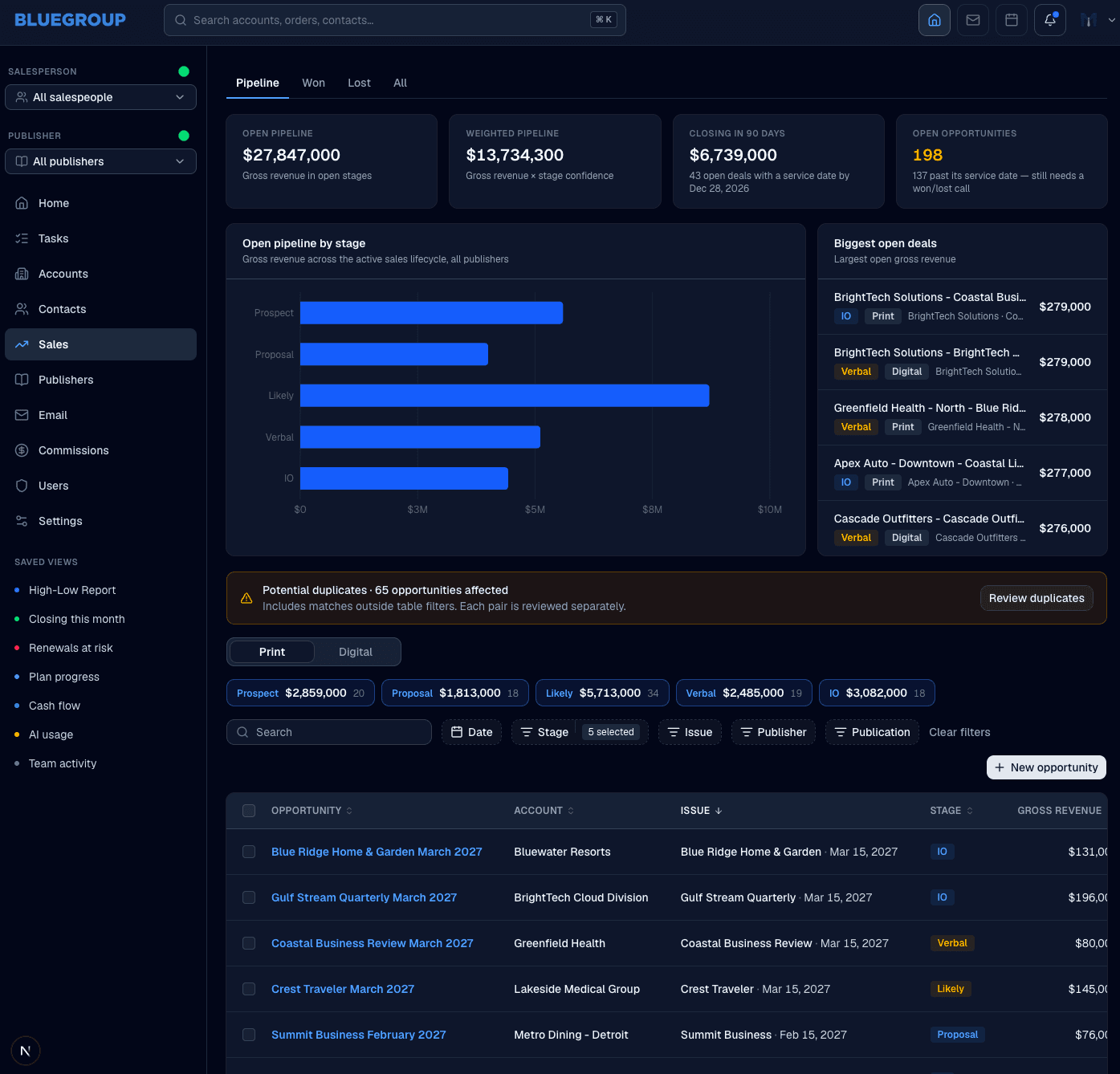
Bluegroup Media sells advertising to luxury brands across print and digital. It had tried CRMs before, and they failed for the same two reasons: every call and every deal meant another form, and most of what the big systems offered went unused and got in the way.
We built one around the way its team already sells, from prospect to insertion order across print and digital, with nothing between a salesperson and the deal in front of them. Salespeople keep it current by describing what happened in plain language, even from their phone.
The CEO describes the bigger change as visibility: leadership can now see what the team is doing every day and how each person is performing, without guessing or asking someone to put a report together.
“He learned our production workflow better than half our account managers. The system feels like it grew here instead of being bought.”
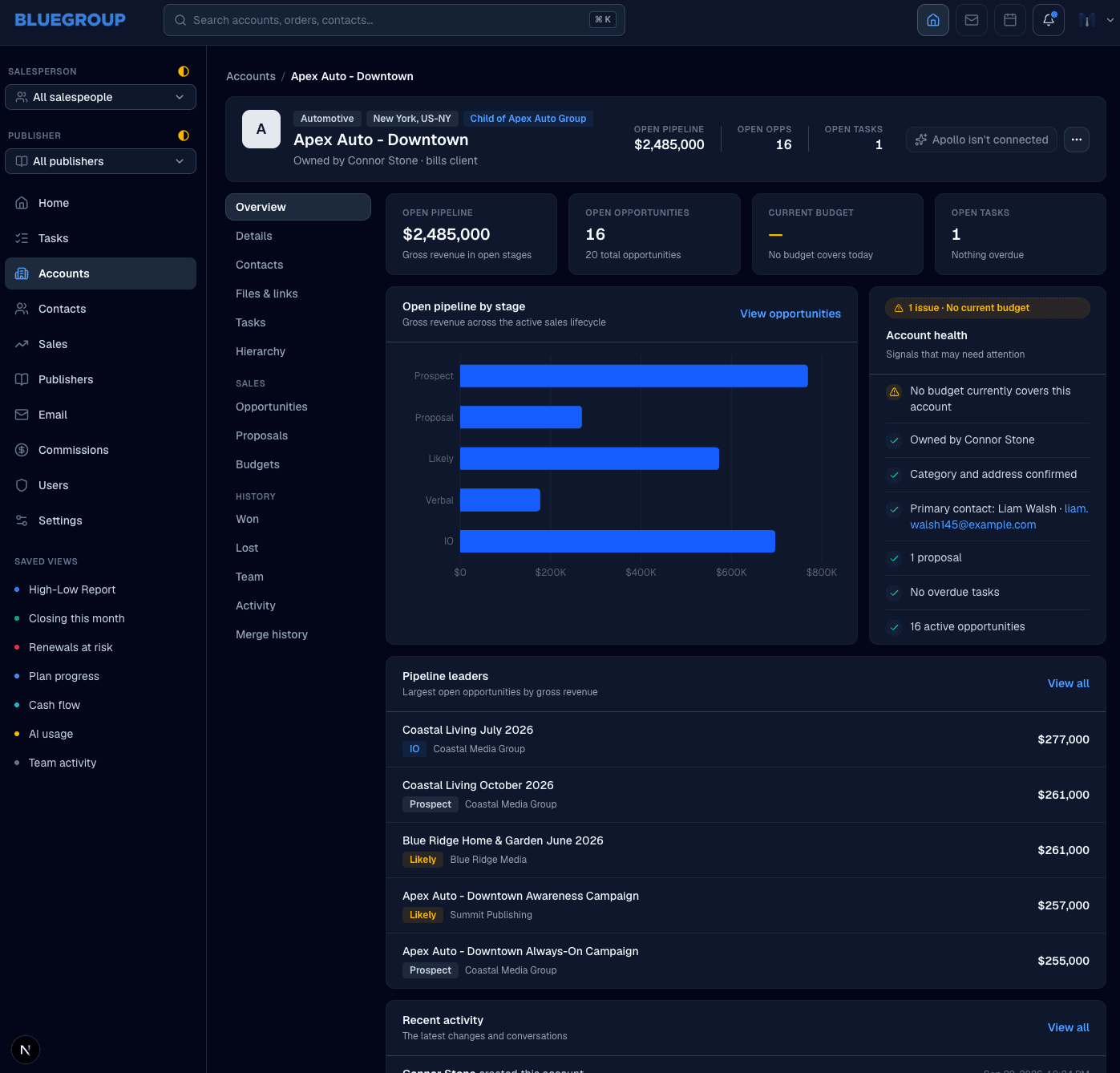
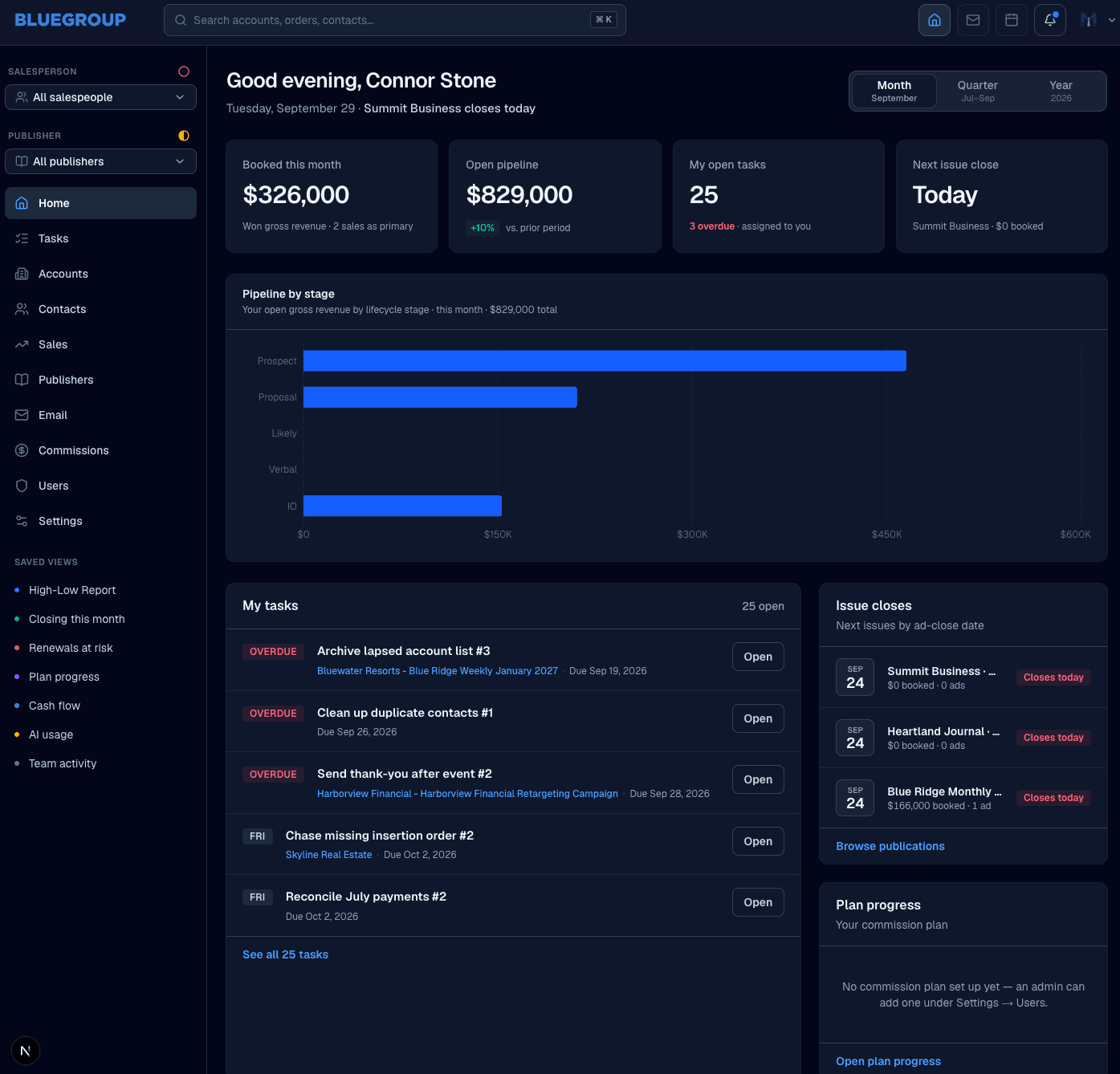
These screens are from a staging copy with sample data, not Bluegroup Media’s own records. Read the full story
Sometimes you should just buy one.
If the way you sell is standard, a standard CRM will serve you well, and we’ll tell you so. Custom pays off when the way you sell is part of what makes the business work.
- An off-the-shelf CRM: Built to serve thousands of businesses, so most of it goes unused.
- A CRM built around your team: Has what your team works with, and nothing it doesn’t.
- An off-the-shelf CRM: Your process bends to fit its fields and stages.
- A CRM built around your team: Its fields and stages follow your process.
- An off-the-shelf CRM: Every update is a form someone has to fill in.
- A CRM built around your team: An update is a sentence about what happened.
- An off-the-shelf CRM: Priced per seat, so every hire costs more.
- A CRM built around your team: One monthly fee for the system, so adding people adds no cost.
- An off-the-shelf CRM: When the way you sell changes, you work around it.
- A CRM built around your team: When the way you sell changes, the CRM changes with it.
Use standard software where your needs are standard. Build around the parts of your business that aren’t.
We carry the build. You start paying when it launches.
Traditional custom development asks you to pay a large sum before anything exists, then pay again every time something needs to change. We reverse that: we invest in building your system first, and the same team keeps it working and improving from there.
- First
- The agreement. A written agreement and a detailed specification come before any development starts.
- Launch
- Billing begins. There’s no upfront development fee. Your monthly subscription starts when the system is ready to launch.
- After
- It keeps improving. Hosting, support and continued development, within a scope we agree on in writing, all in the same monthly fee.
What owners ask first.
- They say: “Why not just buy Salesforce or HubSpot?”
Sometimes you should, and we’ll tell you when.
A standard CRM is excellent when the way you sell is standard. We build when it isn’t, and connect the tools that already work.
- Carried by: Yours to call
- They say: “Can you move us off our spreadsheets or our current CRM?”
Yes. Bringing your existing data across is part of the build.
Accounts, contacts, deals and their history come with you, so the CRM is useful on its first day.
- Carried by: Gemstone
- They say: “Will it work with our email and calendar?”
We connect the tools you keep.
You don’t have to choose between your CRM and the email, calendar and accounting your team already relies on.
- Carried by: Gemstone
- They say: “Will my team actually use it?”
It’s built around what they already do.
It has only what your team works with, and keeping it current takes a sentence, not a form.
- Carried by: Gemstone
- They say: “What happens when the way we sell changes?”
The CRM changes with it.
Continued development is part of the monthly fee, so a new product line or a new stage is a conversation, not a new project.
- Carried by: Gemstone
Tell us how your team sells.
Start with a free 30-minute call about how your business runs. No slide deck, no quote, and if a standard CRM would serve you better, we’ll tell you.